Visual Intelligence
What's new
Introduces the ability for the AI moderator to see and interpret visual information during research
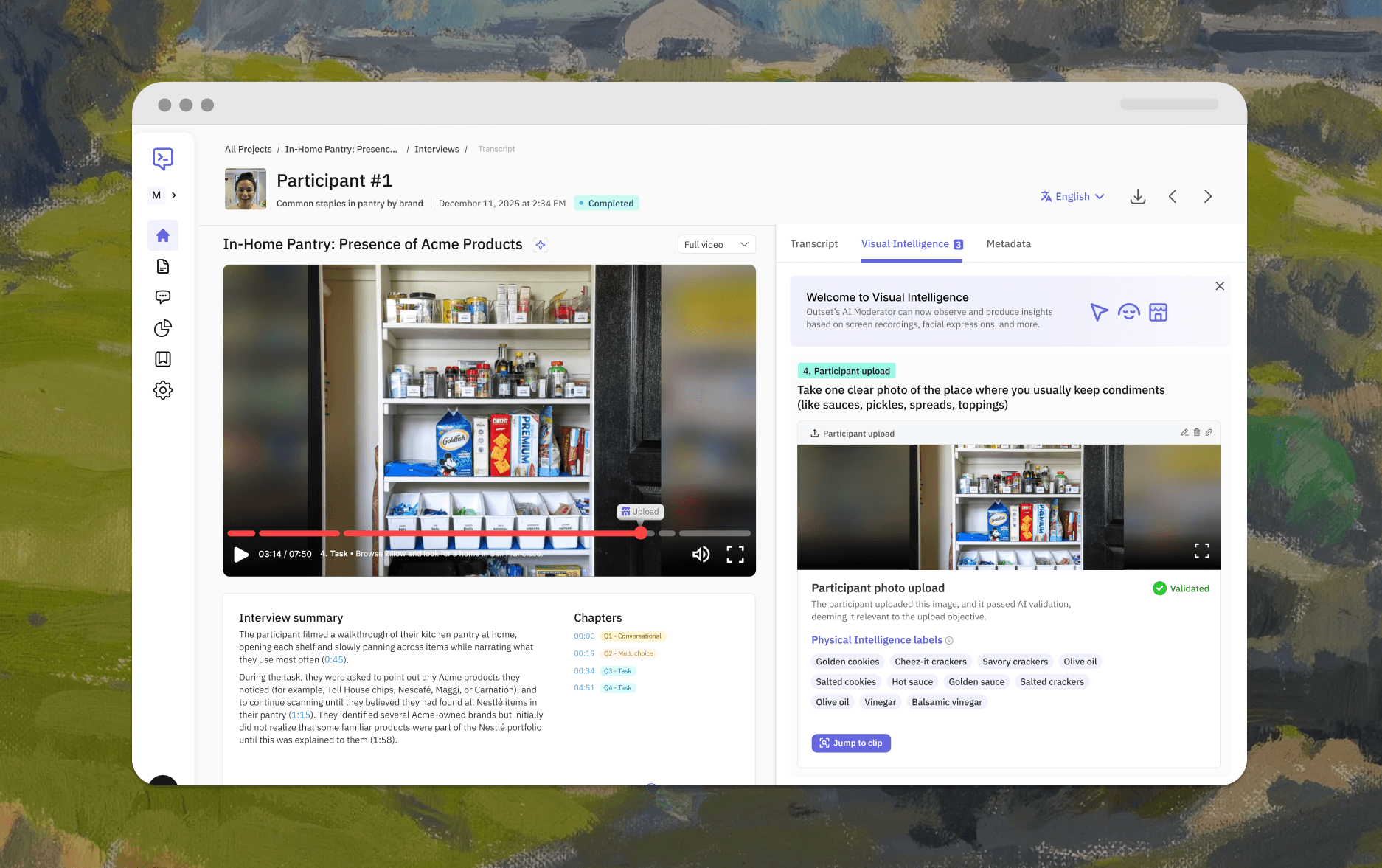
Adds three new intelligence types: Digital Intelligence (screen activity), Physical (participant-uploaded images or streamed video), and Emotional (real-time facial expressions or intonation)
Surfaces visual observations as timestamped, evidence-backed insights alongside transcripts
Why it matters
Research has always been limited to what participants say — but what they do, show, and feel tells a different story. Visual Intelligence closes that gap by giving the AI moderator eyes: it can watch a usability session, analyze a photo of a participant's pantry, or detect confusion on someone's face — and use all of it to ask smarter follow-up questions and deliver richer insights. The result is faster time to insight, less manual video review, and findings that combine what people say with what they actually do and feel.
Used for
Running usability tests where the AI observes screen activity and probes friction points automatically
Collecting and analyzing participant-submitted photos or video streams mid-interview
Detecting emotional signals during video interviews and tying them to specific moments
How to use it
Add a screen-share task to your study to enable Digital Intelligence
Add a participant upload/stream prompt to collect and analyze images in context for Physical Intelligence
Enable Emotional Intelligence in your org settings to surface facial expression data on transcripts and insights pages
Interested in learning more? Book a personalized demo today!
Book Demo